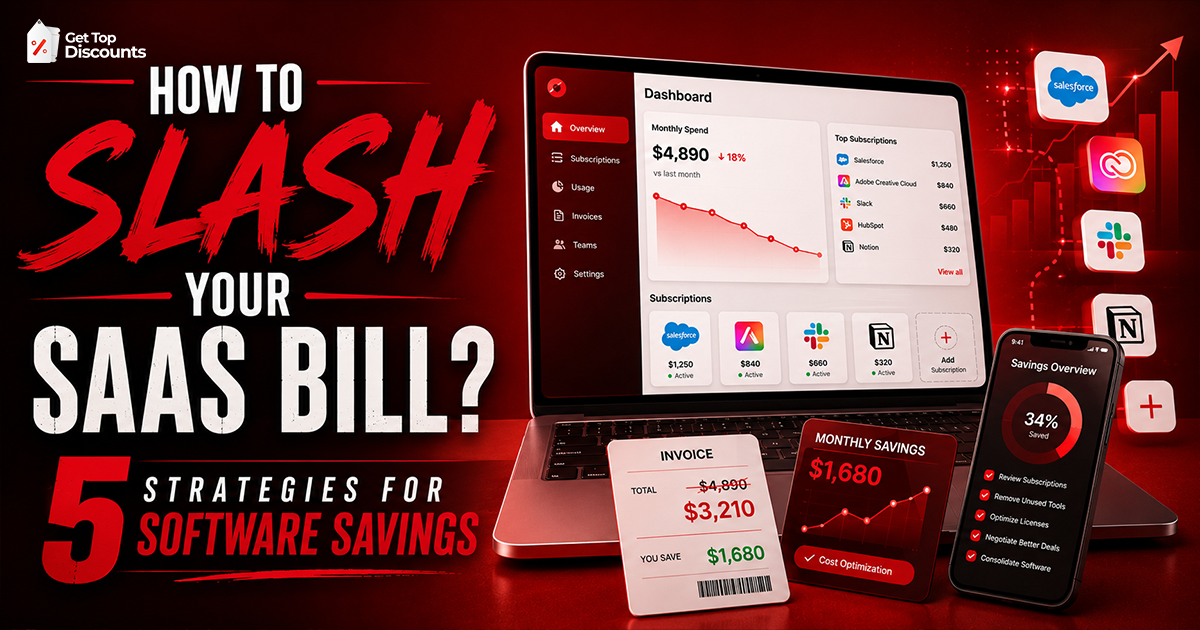
The best strategies to keep costs low for software subscriptions don’t have to be complicated. Paying yearly instead of monthly, removing software you no longer use, and checking for verified coupon codes can all help you spend less. At Get Top Discounts, our team keeps an eye on software deals and updates offers regularly, making it easier to find discounts that are still active.
These days, most people pay for at least a few software subscriptions. That could be antivirus software, backup tools, PDF editors, video editing programs, or other apps they use every day. The problem is that the monthly charges can slowly add up.
One subscription may not seem expensive on its own. Add a few more, and the total starts to grow. Before long, you’re paying much more than you expected over the course of a year. That’s why knowing the best strategies to keep costs low for software subscriptions can make a real difference.
In this guide, we’ll share a few simple ways to save money on software. We’ll also look at products like Malwarebytes, Intego, AOMEI, and Wondershare, along with tips for finding verified discounts before you buy.
Best Strategies to Keep Costs Low for Software Subscriptions
Reducing software expenses isn’t always about finding the biggest coupon. In many cases, a few small adjustments can save more money than a one-time discount.
Review Your Active Subscriptions
It’s easy to lose track of software subscriptions over time. Many people end up paying for apps they rarely use or forgot they even had. That can happen for a few different reasons, including:
- A free trial quietly changes into a paid subscription
- An old computer or device still has an active license
- The same software gets purchased more than once by mistake
- Unused software remains on auto-renew
Taking a few minutes every few months to review active subscriptions can prevent unnecessary spending.
One of the best strategies to lower costs is to first test tools using free trial offers for online services before committing to a plan.
Choose Annual Billing When It Makes Sense
Many software companies offer lower prices to customers who commit to a full year.
You’ll often see a lower price when you choose a yearly plan instead of paying month by month. This is common with software such as:
- Antivirus programs
- Backup and recovery software
- Creative apps and design tools
- Productivity software
It’s worth doing the math before you subscribe. Sometimes paying for a full year costs less than paying every month.
Watch Renewal Prices
One common mistake is focusing only on the introductory price.
Some software providers offer attractive first-year discounts but renew at a higher rate later. Before purchasing, review the renewal terms so there are no surprises when the subscription renews.
Use Family or Multi-Device Plans
Many software companies offer plans that cover multiple devices.
Instead of purchasing separate subscriptions for:
- A desktop computer
- A laptop
- A tablet
- A family member’s device
A multi-device plan may provide better value.
Look for Verified Coupons Before Checkout
Before paying full price, take a minute to look for a working promo code. You can often find deals such as:
- Percentage discounts
- Seasonal offers
- New customer promotions
- Bundle deals
- Limited-time sales
At Get Top Discounts, we regularly check software promotions and update our listings as offers change. That way, it’s easier to find deals that are still active instead of wasting time on expired coupon codes.
Comparison Table: Top Software Savings Opportunities
| Software | Category | Savings Hack (Click to Redeem) |
| Malwarebytes | Cyber Security | Save 25% on Multi-Device Plans |
| Intego | Mac Protection | Get 50% Off Intego Premium |
| Wondershare | Content Creation | Redeem 20% Off Creative Tools |
Antivirus & Security: Activate Malwarebytes Discount Codes
Security software remains one of the most important subscriptions for both personal and business users. Malwarebytes has built a strong reputation for protecting devices against malware, ransomware, phishing attempts, and other online threats.
Many users begin with the free version before upgrading to a premium plan that provides real-time protection and advanced security features.
One reason Malwarebytes remains popular is its flexible subscription structure. Customers can choose plans based on the number of devices they need to protect, helping them avoid paying for licenses they don’t need.
Why Users Choose Malwarebytes?
- Real-time threat protection
- Malware and ransomware defense
- Multi-device coverage
- Easy-to-use interface
- Business and personal plans
For users researching the best strategies to keep costs low for software subscriptions, Malwarebytes often offers better value through multi-device plans rather than separate subscriptions for each device.
Based on the software deals our team tracks throughout the year, Malwarebytes regularly appears in seasonal promotions and multi-device offers. Checking Get Top Discounts before purchasing can help you find current discounts instead of paying the standard retail price.
Mac Specific Protection: Get Intego Antivirus Deals
Mac users often assume they don’t need antivirus software, but cybersecurity threats continue to target macOS devices.
Intego specializes in security products built specifically for Mac users. Instead of adapting software originally created for Windows, the company focuses entirely on protecting Apple systems.
Its product lineup includes antivirus protection, firewall tools, privacy features, and system optimization utilities.
Benefits of Intego
- Designed specifically for Mac users
- Built-in firewall features
- Tools to help protect your privacy
- Features that can help keep your Mac running smoothly
- Plans for individuals and families
Many people check for a discount before buying Intego, especially if they’re signing up for a yearly plan or protecting more than one device. At Get Top Discounts, we keep track of Intego promotions and update offers as they change, so it’s easier to find a current deal before you subscribe.
Data Recovery Tools: Claim AOMEI Promo Codes
Data loss can happen unexpectedly. Hard drive failures, accidental file deletion, software crashes, and hardware issues are all common causes.
AOMEI develops software focused on backup, recovery, disk management, and system migration.
For many users, backup software isn’t something they think about until a problem occurs. Having a reliable recovery solution in place beforehand can prevent significant data loss later.
While reviewing backup and recovery software, our team has found that AOMEI frequently gives customers the choice between subscription plans and lifetime licenses. Comparing both options can help you decide which provides better long-term value.
Why AOMEI Remains Popular?
- Backup and restore functionality
- Disk cloning tools
- Partition management
- System migration utilities
- Data recovery features
One advantage of AOMEI is that some products are available as lifetime licenses rather than recurring subscriptions.
For users focused on the best strategies to keep costs low for software subscriptions, comparing lifetime licenses against annual subscription costs can be worthwhile.
Video & Creative Suites: Redeem Wondershare Vouchers
Creative software can become one of the largest subscription expenses for content creators, marketers, and small businesses.
Wondershare offers a range of tools covering:
- Video editing
- PDF management
- File conversion
- Screen recording
- Diagram creation
Popular products such as Filmora and PDFelement have gained attention for offering strong functionality without some of the higher costs associated with competing software.
Reasons Users Choose Wondershare
- Simple tools that are easy to learn
- Lower-priced alternatives to some well-known software
- Discounts available throughout the year
- Bundles that let you buy several tools together
- Plans for home users and businesses
At Get Top Discounts, we keep an eye on Wondershare deals and update them as offers change. Popular software like Filmora and PDFelement often goes on sale, so it’s worth checking for a discount before you buy.
Additional Ways to Save on Software Purchases
Finding a coupon is helpful, but there are other ways to reduce software costs throughout the year.
Buy During Major Sales Events
Some of the biggest discounts appear during:
- New Year promotions
- Back-to-school sales
- Black Friday
- Cyber Monday
- Holiday shopping periods
Software companies often reserve their strongest promotions for these events.
Compare Subscription and Lifetime Options
Some software is available as both a subscription and a one-time purchase. Before you decide, take a look at all the options:
- Monthly plans
- Yearly plans
- Lifetime licenses
A lifetime license can cost more upfront, but it may save you money if you plan to use the software for years.
Bundle Software When Possible
Some software companies sell two or more products as a bundle. If you were planning to buy them anyway, the bundle can save you money compared to buying each one on its own.
Check Renewal Dates
Setting a reminder before renewal dates can prevent unwanted charges and give you time to evaluate whether the software is still worth keeping.
Why Software Subscription Costs Continue to Rise?
These days, a lot of software is sold as a subscription instead of a one-time purchase. The upside is that you usually get regular updates and ongoing support. The downside is that the monthly or yearly payments can add up over time.
This is why the best strategies to keep costs low for software subscriptions focus on managing renewals, choosing appropriate plans, and taking advantage of verified discounts whenever possible.
Common Mistakes That Increase Software Costs
Paying for Features You Don’t Use
Many premium plans include advanced tools that casual users never touch.
Before upgrading, review whether those features are actually necessary.
Forgetting About Auto-Renewal
Many software subscriptions renew on their own unless you turn that option off. Before your renewal date, check the price and decide if you still want to keep the subscription.
Ignoring Multi-Device Plans
Separate licenses can cost more than a single family or multi-device plan.
Missing Seasonal Sales
Waiting for a major sale can sometimes produce bigger savings than purchasing immediately.
Using Unverified Coupon Sources
Few things are more annoying than reaching the checkout page and finding out the coupon code has already expired.
Frequently Asked Questions (FAQs)
You don’t need to make big changes to spend less on software. Things like paying for a yearly plan, getting rid of unused subscriptions, checking for a discount code, or buying during a sale can all help lower your costs.
Often, yes. If you’re planning to use the software for a while, a yearly plan can end up being the cheaper option.
They can be. If the software remains useful for several years, a lifetime license may cost less than recurring subscription fees.
Yes. Malwarebytes provides a free version that includes malware scanning capabilities.
Premium plans add features such as real-time protection, ransomware defense, and proactive threat prevention.
Certain Intego packages include firewall and network protection features designed specifically for macOS systems.
Intego is primarily known for Mac security solutions, although some products support additional platforms.
The type of license you get depends on the product. Before you buy, take a quick look at what’s included with your plan.
Some AOMEI products are available through lifetime licensing options, depending on the software package.
Filmora, PDFelement, and UniConverter are regularly included in special promotions. Depending on when you buy, you may also find them bundled with other Wondershare software at a lower price.
Black Friday, Cyber Monday, holiday sales, and back-to-school promotions often provide the largest discounts.
Get Top Discounts regularly updates software deals, coupons, and promotional offers from popular brands.
Most software providers only allow one promotional code per order, although policies vary.
Offers are reviewed and updated regularly to help users find current promotions and avoid expired coupons.
Final Thoughts
Software subscriptions make many tasks easier, from protecting devices and recovering data to editing videos and managing documents. The challenge is keeping those costs under control as subscriptions accumulate over time.
Fortunately, the best strategies to keep costs low for software subscriptions don’t require major effort. Reviewing active plans, choosing annual billing when appropriate, monitoring renewal prices, and checking for verified coupon codes can all help reduce expenses.
Before purchasing your next software subscription, take a moment to check Get Top Discounts for available deals. A few minutes spent searching for a discount today could lead to meaningful savings over the course of the year.
Information last verified by the Get Top Discounts Editorial Team on July 03, 2026.