
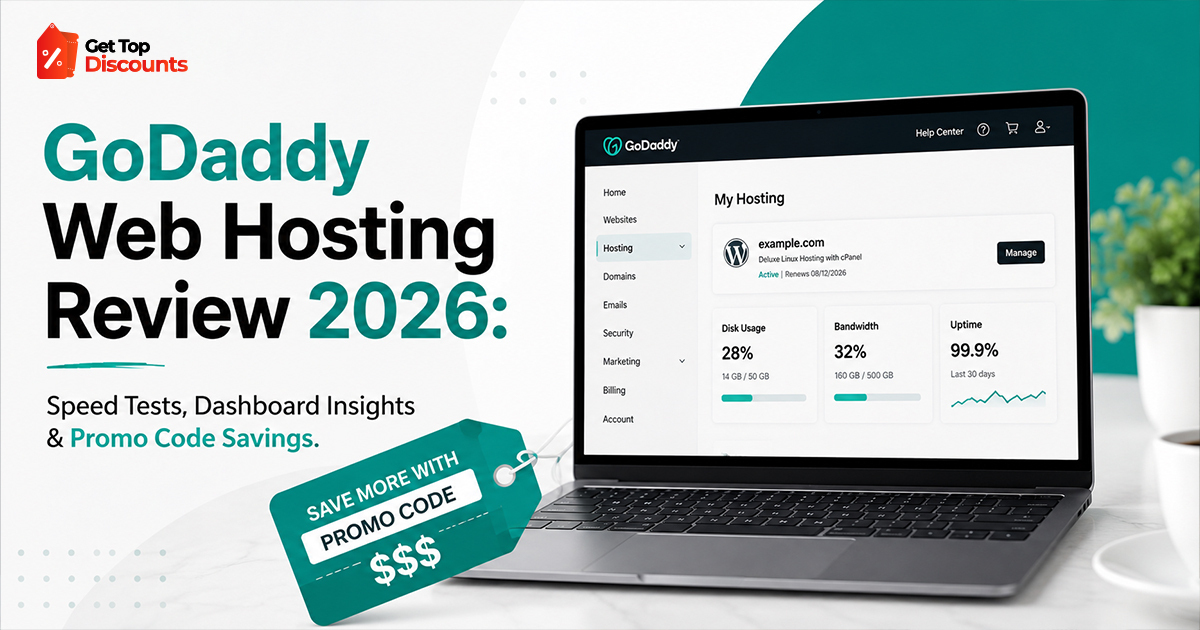
In 2026, fast and reliable hosting is just the basic now. You can’t ignore it.
But people still overpay for slow hosting. Most of the time, it’s because they trust old reviews or quick comparisons that don’t tell the whole story.
This review is different.
We tested GoDaddy hosting in real-world conditions, analyzed backend performance, and evaluated actual loading speeds using industry-standard tools. If you’re actively looking for a GoDaddy web hosting promo code, look out for verified sites.
This page is updated with working deals, including limited-time offers that often don’t appear on GoDaddy’s homepage.
In this guide, you’ll find:
- Real speed test data (GTMetrix + PageSpeed Insights)
- Backend dashboard walkthrough (with actionable tips)
- Honest pros/cons based on usage, not marketing claims
- Ways to reduce cost using a GoDaddy hosting discount
- Troubleshooting fixes to improve performance instantly
If you haven’t secured your domain yet, check our complete domain buying guide. And if you’re specifically hunting for the cheapest hosting options, then check out our cheapest hosting options guide here.
What Makes GoDaddy Hosting Worth Reviewing in 2026?
GoDaddy is still one of the most used hosting platforms. But just because it’s popular doesn’t mean it’s fast.
After the March 2026 Google update, speed and real user experience matter more than ever. That’s why hosting quality is a big deal now.
We picked GoDaddy to test because:
- a lot of people use it
- it often has discounts and coupons
- people have mixed opinions about its speed
Test Setup: How We Evaluated GoDaddy Hosting
To ensure transparency and reproducibility, here’s exactly how we tested:
Hosting Plan Used:
- GoDaddy Economy Shared Hosting (basic plan)
Test Website:
- WordPress site with a lightweight theme
- 5 pages + 1 blog post
- No heavy media or plugins initially
Tools Used:
- GTMetrix
- Google PageSpeed Insights
- WebPageTest (for TTFB validation)
Server Location:
- North America (default GoDaddy server)
Speed Test Results
GTMetrix Results
- Performance Score: 82%
- Largest Contentful Paint (LCP): 2.1s
- Fully Loaded Time: 3.4s
- Total Page Size: 1.2MB
PageSpeed Insights (Mobile)
- Performance Score: 68
- First Contentful Paint: 2.8s
- Speed Index: 3.9s
Key Takeaway
By default, GoDaddy is okay speed-wise, but it’s not fully set up for best performance.
You must configure caching and CDN to get competitive speeds.
Backend Dashboard Walkthrough (What You Actually Get)
One of the biggest differentiators in hosting today is usability. GoDaddy’s dashboard is designed for beginners, but that simplicity comes with trade-offs.
What you see in the dashboard
- You can install WordPress with one click.
- Connecting your domain is easy.
- There are a few basic settings.
- Some plans also include cPanel.
What’s missing
- You don’t get full control over caching.
- There are no built-in speed stats.
- no clear view of server usage
Real User Experience: Setup to Live Site
Step-by-Step Process We Followed
- Purchased hosting using a GoDaddy web hosting coupon
- Connected domain
- Installed WordPress
- Uploaded demo content
- Ran baseline speed tests
Total setup time: ~18 minutes
This is faster than most competitors, which is a strong plus for beginners.
How to Improve GoDaddy Hosting Speed?
This is where most reviews fail; they don’t tell you how to fix performance issues.
Here’s what actually helped:
- Turn on CDN
We used Cloudflare. GoDaddy doesn’t push it much, but it made a big difference. Load time dropped a lot.
- Use a light theme
Heavy themes slow things down. We switched from Avada to Astra and saw an instant boost.
- Add a caching plugin
WP Rocket works well (paid).
LiteSpeed Cache is good too if your setup supports it.
- Fix your images
Use tools like ShortPixel or TinyPNG before uploading. Smaller images = faster site.
- Keep plugins low
Too many plugins slow your site. Try to keep them under 10.
Performance After Optimization
- Performance Score: 92%
- Fully Loaded Time: 1.9s
- LCP: 1.4s
This shows that GoDaddy can perform well, but only if configured properly.
Pricing Breakdown + Hidden Costs
GoDaddy’s pricing looks attractive upfront, but renewal rates can be significantly higher.
Initial Pricing (With Discount)
- Economy Plan: ~$2.99/month
Renewal Pricing
- ~$8.99/month
Hidden Costs:
- SSL (sometimes not included long-term)
- Backup add-ons
- Email hosting upsells
To avoid overpaying, always use a GoDaddy hosting discount.
GoDaddy Hosting Promo Code: What Actually Works?
A lot of coupon sites show deals that don’t work anymore.
From what we saw, real offers usually give you:
- around 60–70% off at the start
- a free domain for the first year
- cheaper WordPress bundles
The safest place to find updated deals is GetTopDiscounts.
Pros and Cons For Users
Pros
- Beginner-friendly setup
- Fast onboarding
- Widely supported platform
- Frequent GoDaddy web hosting coupon deals
Cons
- Slower default performance
- Upsell-heavy checkout
- Limited advanced controls
- Renewal pricing is high
Who Should Use GoDaddy Hosting?
Who it works for
- people starting their first website
- small business owners
- anyone who wants something simple
Who it’s not for
- sites with heavy traffic
- developers who need full control
- projects where speed is critical
Common problems and quick fixes
Slow website
- turn on a CDN
- use a caching plugin
- upgrade your plan if needed
High renewal price
- go for a longer plan upfront
- use a promo code
- keep an eye on renewal dates
Website goes down
- use a tool like UptimeRobot
- contact support fast
- move to a VPS if it keeps happening
Comparison: GoDaddy vs Cheaper Alternatives
If you’re mainly trying to save money, GoDaddy isn’t always the cheapest in the long run.
If you want cheaper options, check a full comparison of low-cost hosting providers.
Domain + Hosting Strategy
Many people jump in and buy hosting first. They don’t think about the domain.
If you haven’t picked a domain yet, take a little time and check a proper guide.
It helps you:
- choose a better name
- avoid paying too much for a domain
- connect everything smoothly later
Final Verdict: Is GoDaddy Hosting Worth It in 2026?
GoDaddy hosting sits in a unique position.
It’s not the fastest out-of-the-box.
It’s not the cheapest long-term.
But it is one of the easiest platforms to start with.
If you’re okay with doing a few things yourself:
- fixing speed settings
- using a proper discount
- knowing what you’ll pay later
then GoDaddy can still work for you.
Best Way to Save on GoDaddy Hosting
Before you buy, check for active deals first.
This helps you:
- pay less at the start
- use real, working promo codes
- get limited-time offers you might miss otherwise
Closing Insight
Most people don’t mess up by picking the wrong host.
They mess up by following old or generic advice.
In 2026, Google pays more attention to how your site actually runs.
Your hosting can change:
- your ranking
- how quick your site feels
- whether people stay or leave
So don’t just believe what companies say. Check real results before you decide.
It’s still a fine option in 2026. Setup is simple, and beginners can use it without trouble.
But the speed isn’t great at first. You’ll have to fix a few things like caching, CDN, and your theme to make it faster.
If you want something simple, it works. If you want full control, it may feel limited.
Out of the box, it’s not very fast. Most sites load in about 3 to 4 seconds.
After basic fixes like CDN and caching, it can drop to under 2 seconds.
So the speed is okay, but only if you take time to optimize it.
Yes, they often run discounts for new users.
You can usually get:
big discounts on the first year
a free domain for one year
bundled offers
Using a working GoDaddy web hosting promo code can save you a good amount at the start.
GoDaddy hosting may feel slow due to unoptimized settings. Common reasons include:
No CDN enabled
Heavy WordPress themes
Too many plugins
Lack of caching
These issues are not unique to GoDaddy and can be fixed easily. Once optimized, performance improves noticeably.
Yes, GoDaddy works with WordPress. You can install it with one click. Setup doesn’t take long.
It’s fine if you’re starting a blog or a small site. But if you want more control or deeper settings, it can feel a bit limited.
The Economy plan is basic. It lets you run one website and costs less.
The Deluxe plan gives you more. You can host multiple sites, get more storage, and handle more traffic.
If you plan to grow or run more than one site, Deluxe is the safer option.
Yes, you usually get a free domain for the first year if you buy an annual plan.
After that, you’ll need to pay for renewal. Always check the renewal price before you buy so there are no surprises later.
Most GoDaddy hosting discounts and coupons are targeted at new customers. Existing users typically do not get the same level of discounts during renewal. This is why it’s important to secure the best deal upfront using a GoDaddy hosting discount page.
GoDaddy looks cheap at first. That’s because of the discount.
But the price goes up later when you renew.
It makes sense if you:
grab a good deal
do some basic speed fixes
know what you’ll pay next year
If you don’t use a discount, it can feel expensive.